The Shed
Templates
Try for FreeDigital Asset Management
A complete digital asset management system to organize, review, and distribute your images, videos, audio files, and media with built-in approval workflows.What's Included
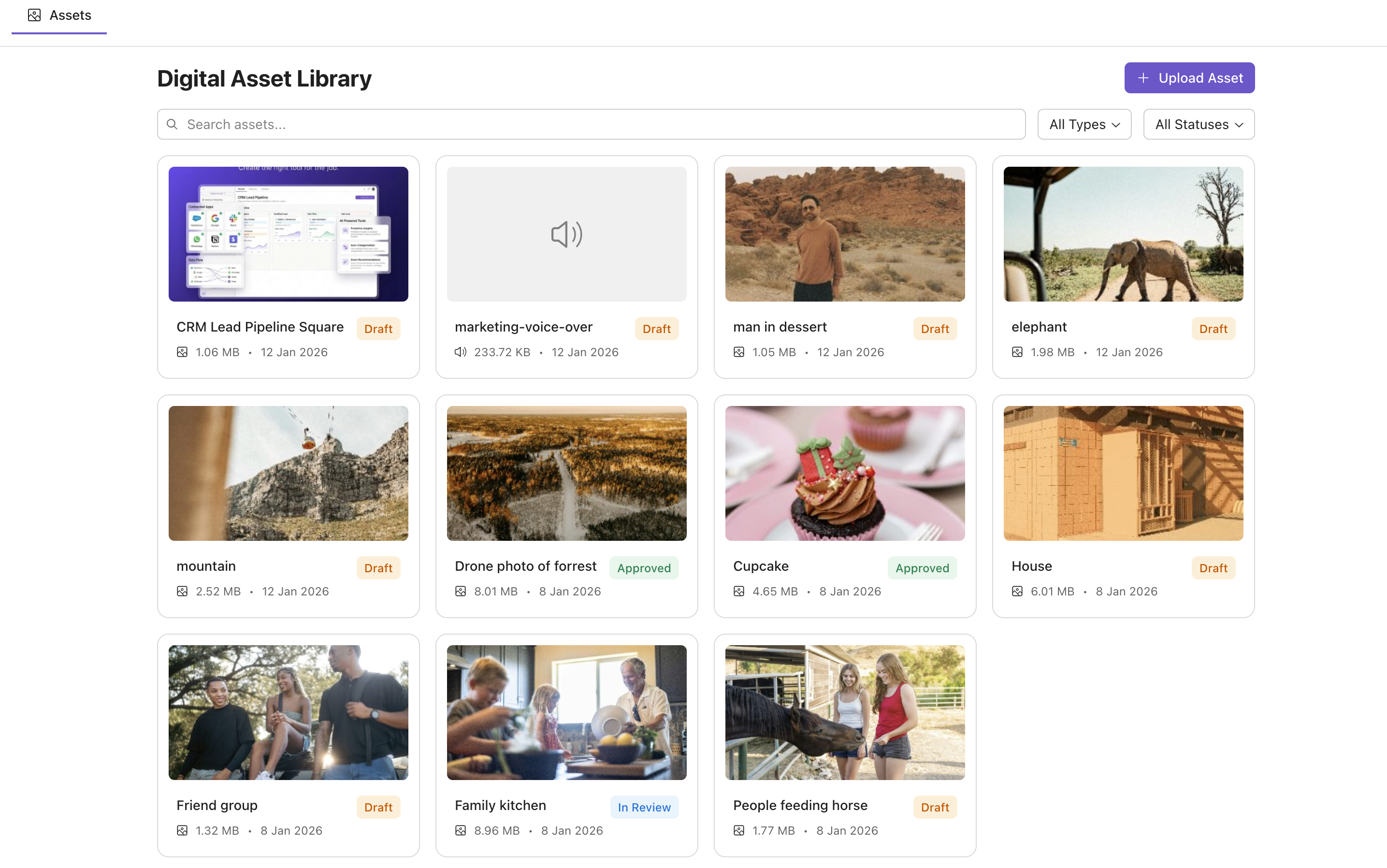
Asset Library
Organize all your media files in a centralized, searchable libraryApproval Workflows
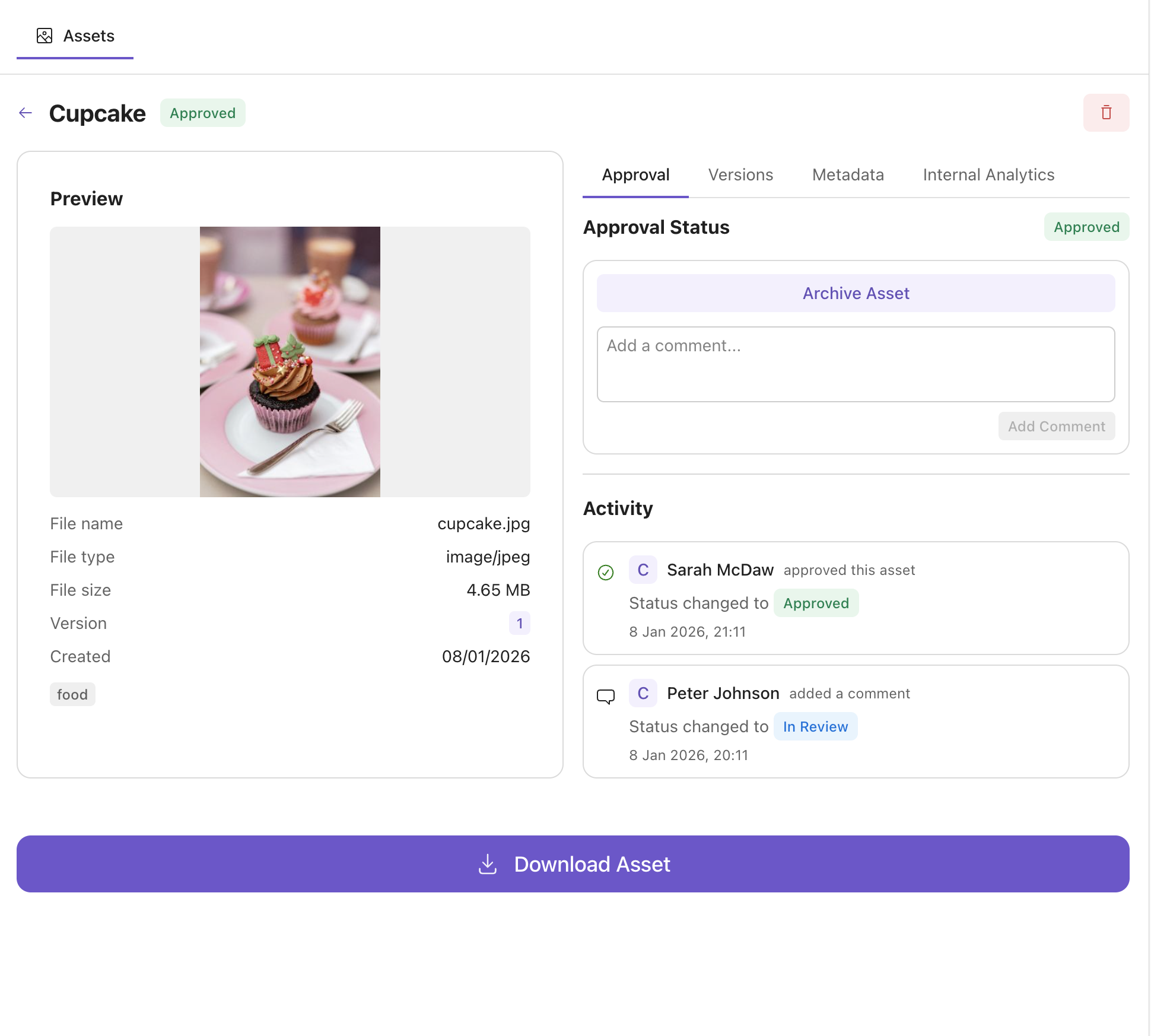
Track assets through Draft, Review, and Approved stagesVersion Control
Manage multiple versions of assets with full historyInternal Analytics
Monitor asset internal usage, views, and team activityPreview
Start Managing Your Digital Assets Today
Get started with this template and customize it to fit your creative workflow.
Use This TemplateUse AI to Adapt This Template
Simply describe what you need, and our AI will customize the template to match your exact requirements.✨
🏷️
Auto-tagging & Metadata
Automatically extract and organize asset metadata🎨
Customize the UI
Change layouts, colors, and workflows to match your brand📁
Organize Your Way
Add folders, collections, or custom categorization⬇️
Flexible Downloads
Bulk export, format conversion, and size presetsWhy Your Team Needs a Digital Asset Manager
What is a Digital Asset Manager?
A Digital Asset Manager (DAM) is a centralized system for storing, organizing, and distributing digital files like images, videos, documents, and creative assets. It provides a single source of truth for your media library, making it easy for teams to find, share, and collaborate on digital content.Benefits of Digital Asset Management
Implementing a DAM system saves time and reduces frustration. Key benefits include faster asset discovery, consistent brand usage, streamlined approval processes, reduced duplicate work, and better collaboration across teams.Custom DAM vs. Enterprise Solutions
Enterprise DAM solutions often come with complex features, steep learning curves, and high costs. A custom DAM built with The Shed gives you exactly the functionality your team needs—approval workflows, metadata management, and sharing options—without paying for features you'll never use.Getting Started with Digital Asset Management
Start by centralizing your most-used assets: logos, product images, marketing materials. Our template provides upload, search, filtering, and approval workflows out of the box. Use AI to customize it further—add custom metadata fields, automated tagging, or integration with your design tools.Frequently Asked Questions About Digital Asset Management
What file types can I store?
Our DAM template supports all common file types including images (JPEG, PNG, WebP, SVG), videos (MP4, MOV), audio files (MP3, WAV, AAC), documents (PDF), and more. Need support for specialized formats? Use AI to add custom file type handling.How does the approval workflow work?
Assets move through customizable stages: Draft, In Review, and Approved. Team members can add comments, request changes, and approve assets. The full activity history is tracked so you always know who did what and when.Does this work with my existing cloud storage?
The template stores assets in our own secure cloud, which is cost-effective and performant. If you need to integrate with AWS S3, Google Cloud Storage, or other providers, you can use AI to add custom storage adapters.How do I migrate existing assets?
You can upload assets individually. For large migrations, use AI to create custom import scripts that preserve your existing folder structure and metadata.Ready to Organize Your Digital Assets?
Start with our DAM template and customize it for your creative team.The Shed
About usCreate the right tool for the job.
Contact
Email: contact@the-shed.appAddress: Bergsgatan 59, 11231 Stockholm, Sweden
© 2026 The Shed. All rights reserved.