The Shed
Templates
Try for FreeDigital Whiteboard
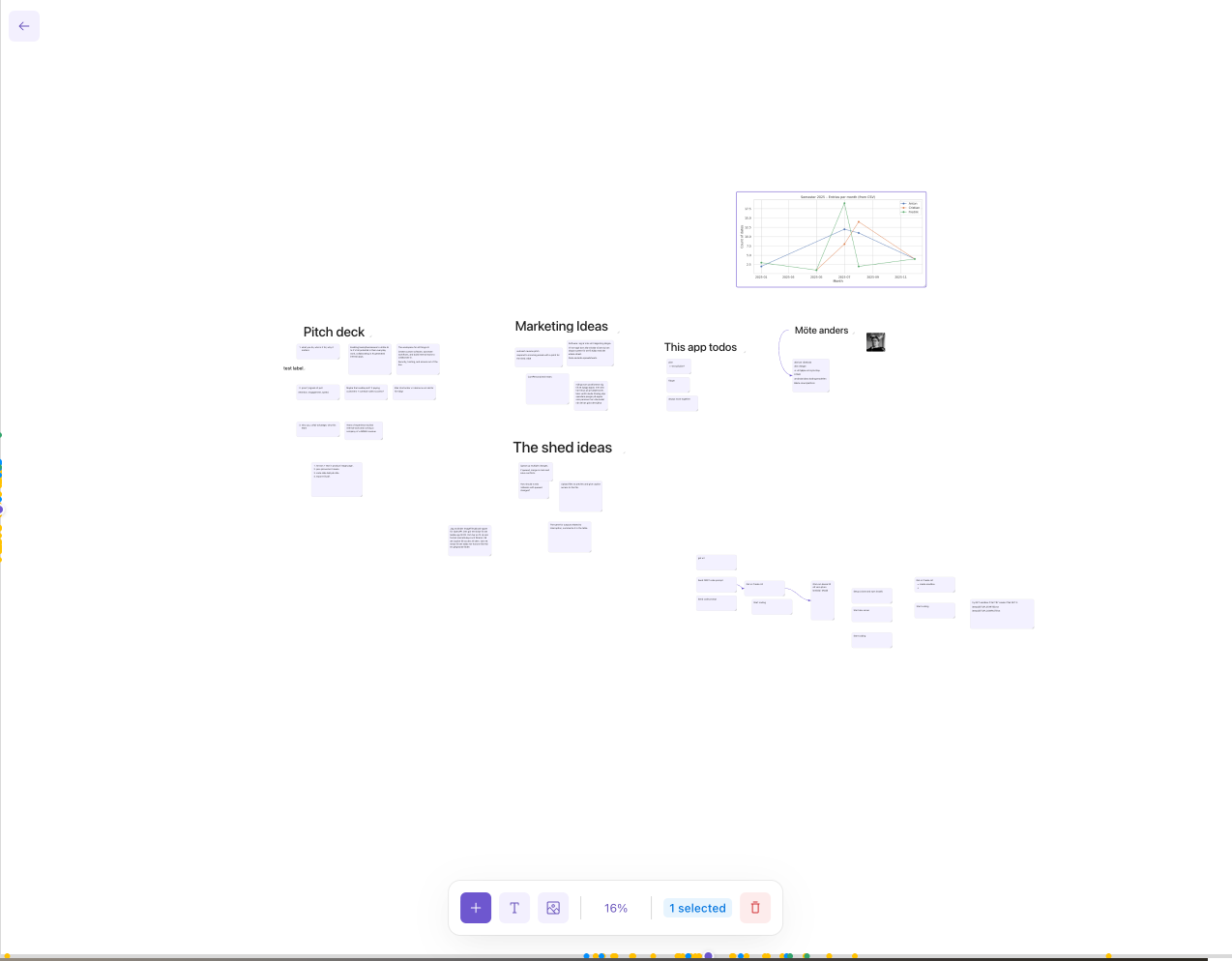
A collaborative digital whiteboard with smart notes, dynamic labels, image uploads, anchored arrows, and real-time multi-user sync — all on an infinite canvas with grid snapping.What's Included
Smart Notes
Markdown-powered notes with auto-sizing height and grid snappingDynamic Labels
Background-free labels that auto-scale font size to fill the containerAnchored Arrows
Connectors that snap to notes and labels, following their movementsReal-time Sync
Multi-user collaboration with automatic background syncPreview
Start Collaborating on Your Whiteboard Today
Get started with this template and customize it for your team's brainstorming and planning needs.
Use This TemplateUse AI to Adapt This Template
Simply describe what you need, and our AI will customize the template to match your exact requirements.✨
📝
Smarter Notes
Add rich text formatting, checklists, or code blocks to notes🎨
Customize the Canvas
Change grid styles, themes, colors, and layouts to fit your workflow🔗
New Connections
Add curved arrows, relationship types, or auto-layout algorithms🤝
Better Collaboration
Add live cursors, comments, presence indicators, and permissionsWhy Your Team Needs a Digital Whiteboard
What is a Digital Whiteboard?
A digital whiteboard is an infinite, collaborative canvas where teams can brainstorm, plan, and organize ideas visually. Unlike physical whiteboards, digital whiteboards support rich content like Markdown notes, images, labels, and connectors — all accessible from anywhere and synced in real time.Benefits of a Digital Whiteboard
Digital whiteboards unlock more productive collaboration. Key benefits include visual brainstorming without space limits, persistent boards that never get erased, real-time multi-user editing, and the ability to mix text, images, and diagrams in a single workspace.Custom Whiteboard vs. Off-the-Shelf Tools
Tools like Miro and FigJam are powerful but expensive and packed with features you may never use. A custom whiteboard built with The Shed gives you exactly what your team needs — smart notes, labels, arrows, and sync — without the bloat or the per-seat pricing.Getting Started with Your Digital Whiteboard
This template comes ready with a grid canvas, Markdown notes with smart sizing, dynamic labels, image uploads, anchored arrows, and multi-user sync. Double-click to edit, right-click for options, and use Ctrl+C/V to copy and paste items. Customize it further with AI to add your own features.Frequently Asked Questions About the Digital Whiteboard
How does multi-user collaboration work?
The whiteboard syncs changes regularly, so multiple users can work on the same board and see each other's updates in real time.What can I put on the whiteboard?
The whiteboard supports Markdown-powered smart notes, dynamic labels, uploaded images, and anchored arrows that connect items. All elements snap to a grid and can be freely positioned, resized, and layered.Can I organize and layer items?
Yes. Right-click any item to send it to the back or bring it to the front. You can also group-drag multiple items at once with optimistic UI for instant, lag-free movement. Copy and paste with Ctrl+C and Ctrl+V is also supported.How do I customize the whiteboard?
The template is fully customizable with AI. Ask for new features like freehand drawing, color themes, shape tools, sticky note styles, or integrations with your existing tools — and the AI agent will build them for you.Ready to Whiteboard with Your Team?
Start with our digital whiteboard template and make it yours with AI-powered customization.The Shed
About usCreate the right tool for the job.
Contact
Email: contact@the-shed.appAddress: Bergsgatan 59, 11231 Stockholm, Sweden
© 2026 The Shed. All rights reserved.